Financial wellness in MyHomeConsole
Financial wellness built from household reality
What does financial wellness show me about my household?
MyHomeConsole turns recorded income, essential spending and emergency savings into practical measures such as financial runway and the amount of income retained each month.
Start your free trial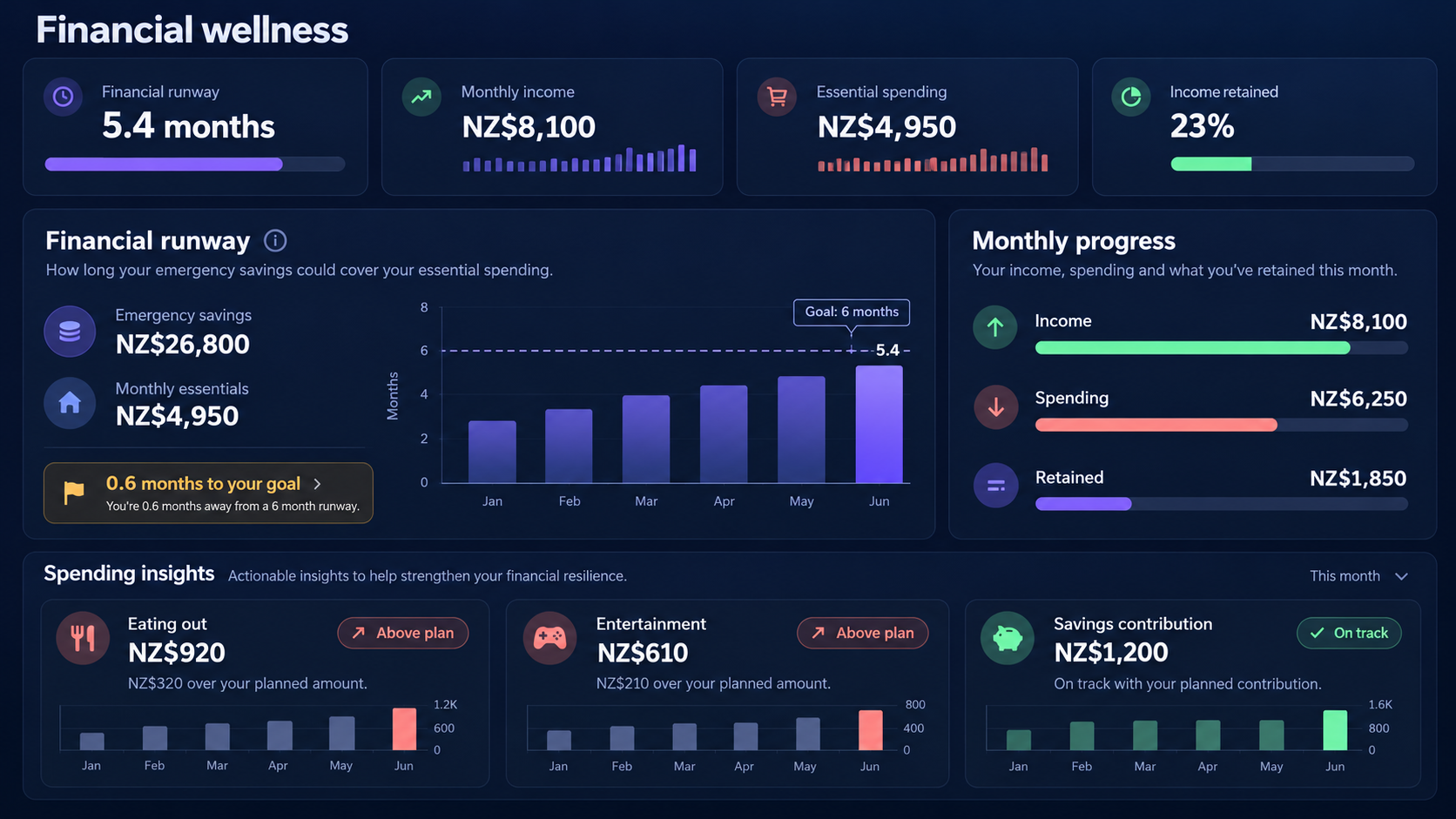
Turn balances and spending into a clear safety margin
See how long emergency savings could cover essential costs, follow monthly progress and spot discretionary categories that are running above plan.
What is included
What can you manage?
-
Understand financial runway
Compare emergency savings with essential monthly spending in one plain-language measure.
-
Follow monthly progress
See recorded income, spending and the amount retained without rebuilding the calculation elsewhere.
-
Focus on useful signals
Surface categories running above plan while keeping savings progress visible beside them.
A connected workflow
How it works
Start with the information you already have, add related records over time, and return to one household context when something needs attention.
- 1 Keep household income, expenses and savings accounts current.
- 2 Confirm which spending is essential for the household's runway calculation.
- 3 Review runway, monthly progress and category signals together.
Common questions
- What is financial runway?
- It is an estimate of how many months recorded emergency savings could cover recorded essential monthly spending.
- Is this financial advice?
- No. The view organises household records into practical indicators; it does not replace advice tailored to your circumstances.
Explore connected household workflows
Bring your household information together
Start with financial wellness, then add the other parts of home life when you are ready.
Start your free trial