Projects in MyHomeConsole
Household projects with budgets, tasks and real spend
How does MyHomeConsole keep a household project on track?
MyHomeConsole brings the working budget, recorded spend, tasks, reminders and documents into one project view so the household can see what is done and what needs attention next.
Start your free trial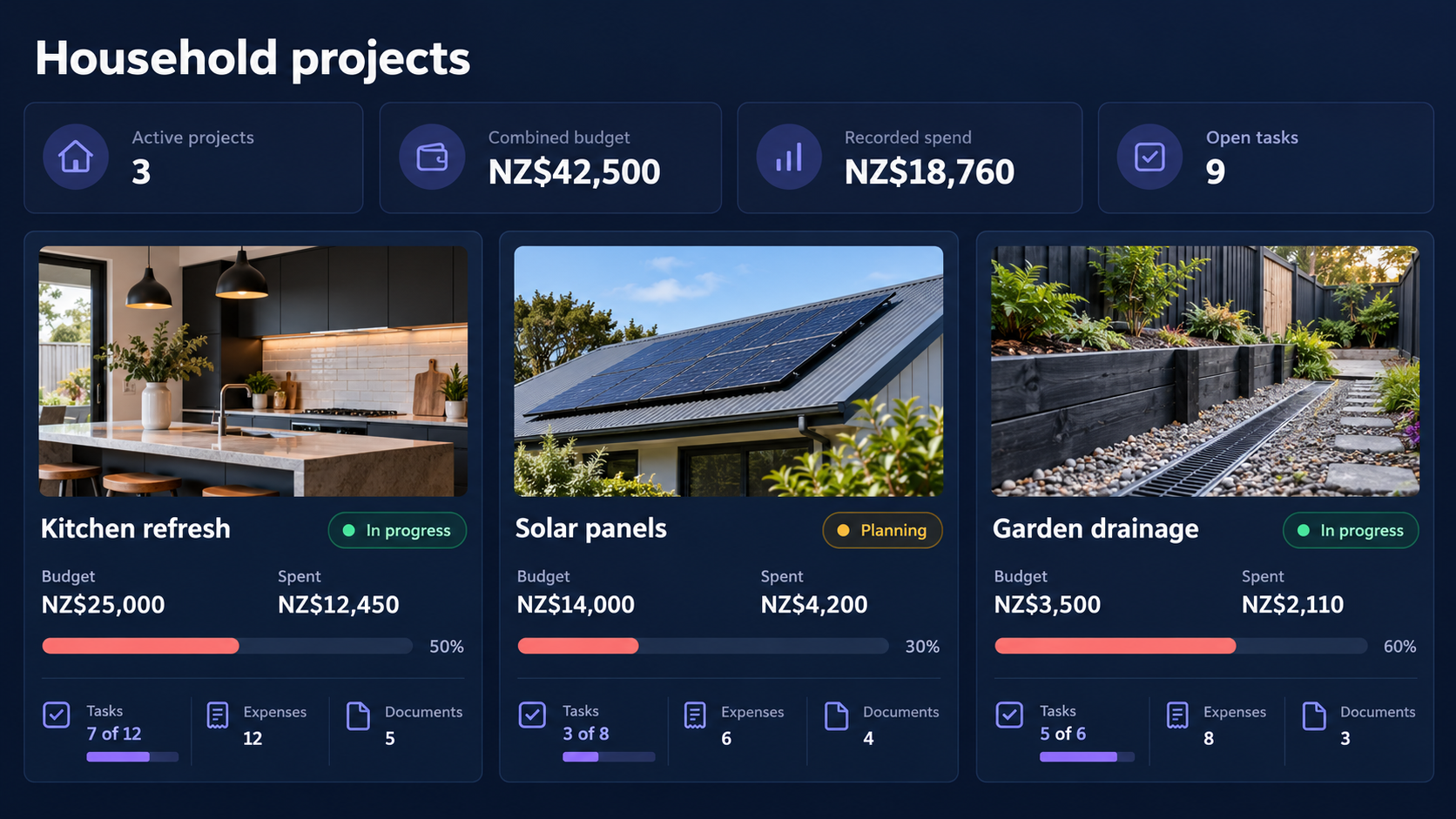
Know what is planned, spent and still to do
Compare budgets with real expenses, follow task progress and keep the documents behind each household project in the same place.
What is included
What can you manage?
-
Budget before work begins
Set a project budget and see recorded spend against it as work progresses.
-
Turn the plan into tasks
Keep owners, due dates, progress and reminders connected to the project.
-
Keep evidence with the work
Store quotes, invoices, receipts and other documents where the household can find them.
A connected workflow
How it works
Start with the information you already have, add related records over time, and return to one household context when something needs attention.
- 1 Create the project, its working budget and the outcome you want.
- 2 Add tasks, expenses, reminders and supporting documents as work moves forward.
- 3 Review budget, spend and progress together before deciding what comes next.
Common questions
- Can project spending be compared with the budget?
- Yes. Recorded project expenses are shown beside the working budget so the household can follow actual spend.
- Can a project include tasks and documents?
- Yes. Tasks, reminders and supporting documents can stay connected to the project instead of living in separate lists.
Explore connected household workflows
Bring your household information together
Start with projects, then add the other parts of home life when you are ready.
Start your free trial