Assets in MyHomeConsole
Understand what your household owns
How does MyHomeConsole make household assets easier to understand?
MyHomeConsole brings recorded values and liabilities across properties, vehicles, accounts and other household assets into a clear view of what you own, what you owe and how the position is changing.
Start your free trial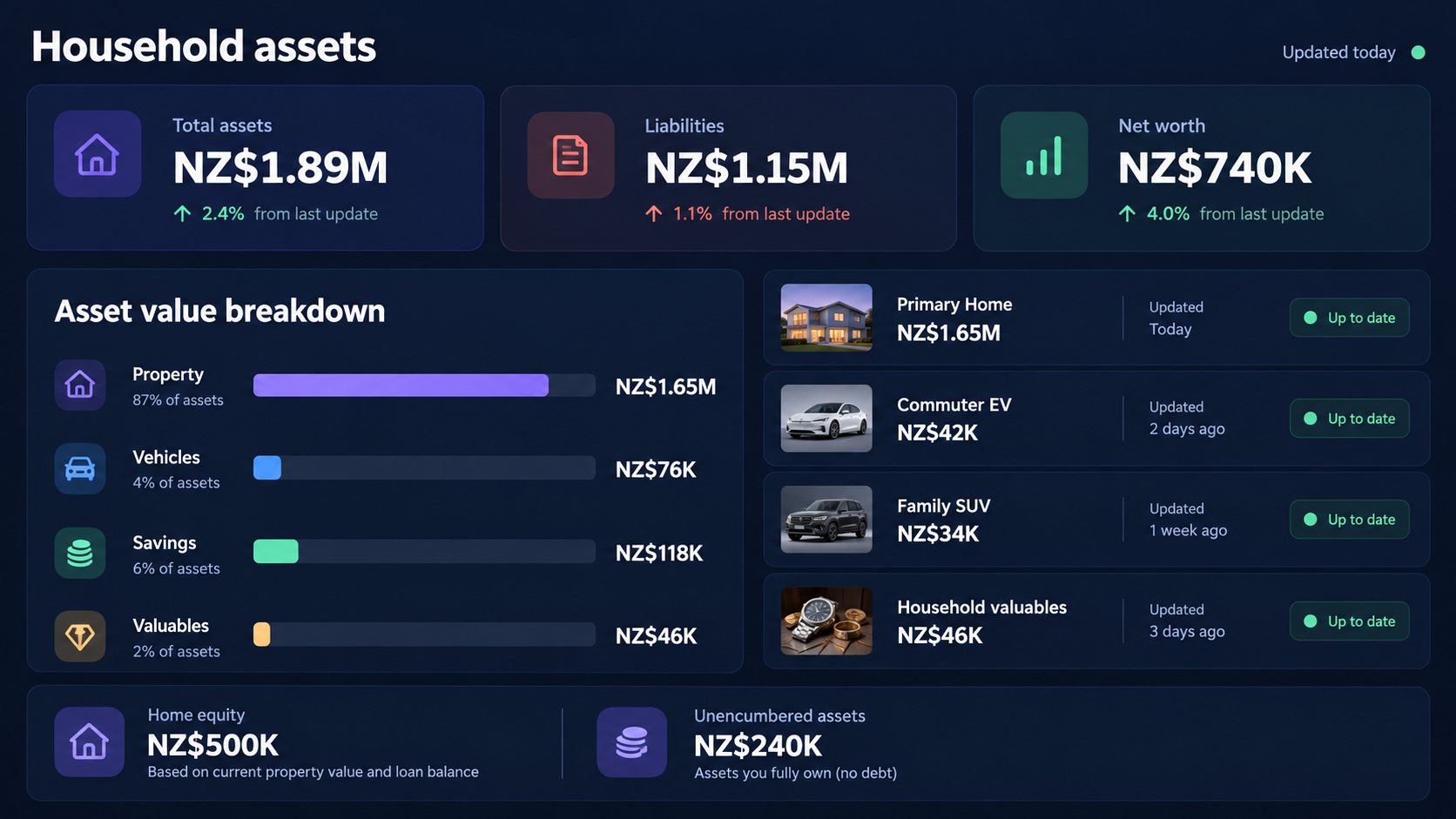
See asset value and household position in context
Move beyond a list of possessions: understand the mix of household assets, the liabilities behind them and the equity the household has built.
What is included
What can you manage?
-
Build a household asset picture
Bring properties, vehicles, accounts, appliances and valuables into one organised view.
-
Track values with context
Record current values and related liabilities without losing the underlying asset record.
-
Understand the overall position
Use value, debt and equity together to form a clearer household net-worth picture.
A connected workflow
How it works
Start with the information you already have, add related records over time, and return to one household context when something needs attention.
- 1 Add the assets and liabilities that matter to your household.
- 2 Keep values and supporting records current as circumstances change.
- 3 Review the combined position and open any asset for its detailed history.
Common questions
- Which household assets can contribute to the overview?
- Recorded properties, vehicles, accounts and other supported household assets can contribute to the overall picture.
- Does the asset view include liabilities?
- Yes. Related liabilities can be considered alongside recorded asset values so equity and net worth are not overstated.
Explore connected household workflows
Bring your household information together
Start with assets, then add the other parts of home life when you are ready.
Start your free trial